Zoho CRM Pricing in Canada: What It Really Costs Your Business
Key takeaways
- Zoho CRM has a free edition for up to three users and several paid editions charged per user, per month.
- Annual billing costs less per month than monthly billing; check both before you commit.
- Prices on Zoho's site default to US dollars; check the currency and add sales tax for your province.
- Your real cost includes add-ons, any other Zoho apps you need and the time or money spent on setup.
- Choose the lowest edition that covers your process, and upgrade only when you hit a real limit.
Zoho CRM is often chosen because it's affordable, and it can be. But the headline price per user is only one part of what you'll pay. This guide explains how Zoho CRM pricing works for Canadian businesses and how to work out your total cost before you sign up.
Prices change, so always confirm current numbers on Zoho's CRM pricing page before budgeting.
How Zoho CRM pricing works
Zoho CRM is sold in editions. Each edition adds features, and you pay for each user who needs a login.
| Edition | Who it suits | Notes |
|---|---|---|
| Free edition | Solo owners and very small teams testing a CRM | Up to three users, with basic features |
| Standard | Small teams that need a shared pipeline and simple automation | Entry paid tier |
| Professional | Growing teams that need more automation and integrations | A common choice for small businesses |
| Enterprise | Larger teams with complex processes or several departments | Adds advanced customization and AI features |
| Ultimate | Businesses that want the top feature set and analytics | Highest per-user price |
Third-party pricing trackers in 2026 list the paid editions at roughly US$14 to US$52 per user, per month when billed annually. Zoho has adjusted its plans before, so check the live page.
Annual billing vs monthly billing
Annual billing is cheaper per month than paying month to month. If you're confident in the CRM, annual billing saves money. If you're still testing, start monthly or use the free trial first.
Per user, not per company
You pay for each person who logs in. A team of five on a paid edition pays five times the per-user price. Before you buy, list who really needs access. Someone who only needs a weekly report may not need a full licence.
Currency and tax for Canadian buyers
Zoho's pricing page shows US dollars by default and lets you switch currency. When you compare tools, compare in the same currency, and remember that sales tax for your province is added on top of the listed price.
If your clients care where their data is stored, ask about Zoho's Canadian data centres when you sign up. The data centre is chosen when the account is created, so it's worth deciding early.
Add-ons that change the total
Common extras that raise the bill:
- Extra storage for files and attachments
- Additional modules or apps from the Zoho Marketplace, some of which are paid
- Telephony for calling from inside the CRM, usually through a separate phone provider
- Email marketing through Zoho Campaigns or another tool
- Extra API capacity for heavy integrations, depending on your edition
None of these are required on day one. Add them when a real need appears.
Zoho CRM vs Zoho One
Zoho One bundles many Zoho apps, including CRM, under one subscription. It can be good value if you'll also use Zoho's accounting, help desk, forms or HR tools. If you only need a CRM, a standalone Zoho CRM subscription is usually simpler and cheaper.
Ask yourself which other apps you'd genuinely use in the next year. If the answer is one or none, stay with Zoho CRM alone.
The cost most people forget: setup
The licence gets you access to the software. It doesn't set up your pipeline, import your data, connect your website or train your team. You can do that yourself, or pay someone to do it. Either way, it has a cost:
- DIY: your own time, often more than expected, plus the cost of mistakes such as messy data or unused automations
- Consultant: a project fee, usually quoted as a fixed price after a discovery call
Our guide to hiring a Zoho CRM consultant in Toronto explains what a good setup should include.
Which edition do you actually need?
A quick way to narrow it down:
- One to three people, simple pipeline: start with the free edition and see whether you outgrow it
- A small sales team that needs shared pipelines, follow-up reminders and basic reports: an entry paid edition is often enough
- A team that needs approvals, multi-step processes or deeper integrations: look at a mid-tier edition
- Several departments, complex permissions or advanced analytics: compare the top editions
Write down the three features you can't live without, then find the lowest edition that includes all three. That one decision prevents most overspending.
How to estimate your first-year cost
Use this simple method:
- Count users who need full access
- Pick an edition based on the features you need now, not someday
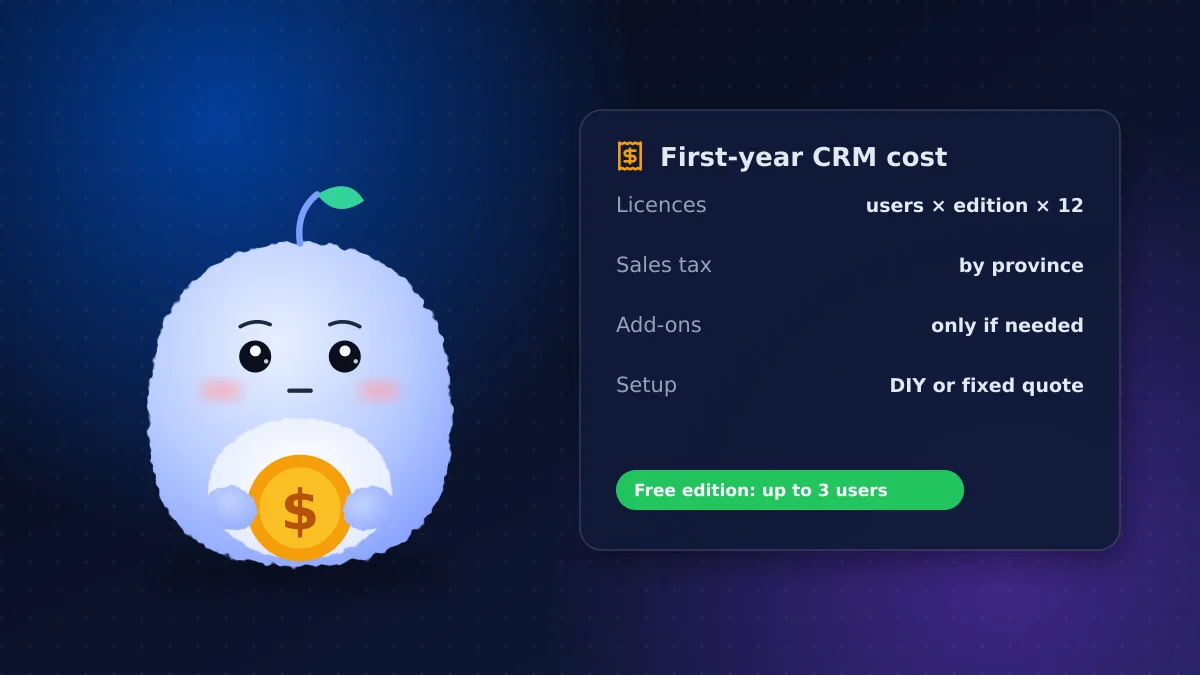
- Multiply users by the per-user price and by 12 months, using the annual price if you'll commit
- Add tax for your province
- Add any add-ons you know you'll need
- Add setup: your own hours or a consultant's quote
That total is the number to compare against other CRMs, not the headline price per user.
How to keep Zoho CRM costs down
- Start on the lowest edition that covers your current process
- Only license people who need to log in
- Use the free trial to test before paying
- Review licences every few months and remove anyone who has left
- Avoid paying for Zoho One unless you'll use several of its apps
Conclusion: budget for the whole picture
Zoho CRM pricing in Canada is competitive, but the true cost is licences, tax, add-ons and setup together. Pick the edition that fits today, count your users carefully and plan how the CRM will be set up.
Want help choosing an edition and a fixed-price setup? Learn about our Zoho CRM services or tell us about your team.
Frequently asked questions
Is Zoho CRM free?
Zoho CRM has a free edition for up to three users with basic features. Paid editions add more automation, customization and integrations, charged per user per month.
Does Zoho CRM charge in Canadian dollars?
Zoho's pricing page shows US dollars by default and lets you change the currency. Check the currency at checkout and add sales tax for your province.
Is Zoho One cheaper than Zoho CRM?
Only if you'll use several Zoho apps. If you just need a CRM, a standalone Zoho CRM subscription is usually simpler and cheaper.
What hidden costs come with Zoho CRM?
Add-ons such as extra storage, paid marketplace apps, telephony and email marketing, plus the time or fee for setup, data migration and training.
Can I change Zoho CRM editions later?
Yes. You can start on a lower edition and upgrade when you need more features. Plan your setup so it doesn't depend on features you don't have yet.
Vaibhav Malhotra
Founder, VMR Technologies
Vaibhav Malhotra is the founder of VMR Technologies, where he leads the team building custom websites, e-commerce platforms, and AI solutions for businesses across the Greater Toronto Area and beyond. He writes about practical software and AI strategy for non-technical decision-makers — focused on what actually drives results rather than hype.