Zoho CRM for Immigration Consultants in Canada: A Practical Setup
Key takeaways
- Separate the sales pipeline (enquiry to retainer) from case management (retainer to decision).
- Use case stages and document checklists so every file shows what's done and what's missing.
- Automate reminders for missing documents, expiry dates and follow-ups, with a person reviewing anything sent to clients.
- Immigration files hold sensitive personal information, so limit access and collect only what you need.
- Start with enquiries and consultations, then add case tracking once the team is comfortable.
Immigration practices juggle a lot: enquiries from several countries and time zones, paid consultations, retainers, long document lists and deadlines that can't be missed. Many still run this on spreadsheets, email folders and memory. A well-set-up CRM puts every enquiry and file in one place.
This guide covers how to set up Zoho CRM for immigration consultants in Canada, whether you're a solo RCIC or a growing team.
Two processes, two pipelines
Most immigration practices have two distinct processes, and the CRM should treat them separately:
| Process | Starts with | Ends with | Typical owner |
|---|---|---|---|
| Sales | An enquiry from your website, phone or social media | A signed retainer, or the lead is closed | Intake or the consultant |
| Case management | A signed retainer | A decision on the application | Case manager or the consultant |
In Zoho CRM, the sales side usually lives in Leads and Deals. Case management can use a custom module for Cases, so each client file has its own record with its own stages.
Setting up the sales pipeline
Capture every enquiry
Connect your website enquiry form, chatbot and booking tool so each enquiry creates a lead automatically, with its source and the program the person is interested in. Add fields for:
- Program of interest (for example study permit, work permit, permanent residence, visitor visa)
- Country of residence and preferred language
- How they found you
Consultation booking
Paid consultations are often the first commitment a client makes. Link your consultation booking tool to Zoho CRM so a booking updates the lead, and send an automatic confirmation with what to prepare.
Follow up until they decide
Many prospects need time after a consultation. Simple automation helps:
- A follow-up task for the consultant the day after a consultation
- A reminder if a retainer hasn't been signed within an agreed number of days
- A polite check-in later for people who weren't ready
Setting up case management
Case stages
Define stages that match your workflow, for example:
- Retainer signed
- Documents requested
- Documents complete
- Application in preparation
- Submitted
- Additional information requested
- Decision received
Each Case record shows its current stage, owner and key dates.
Document checklist
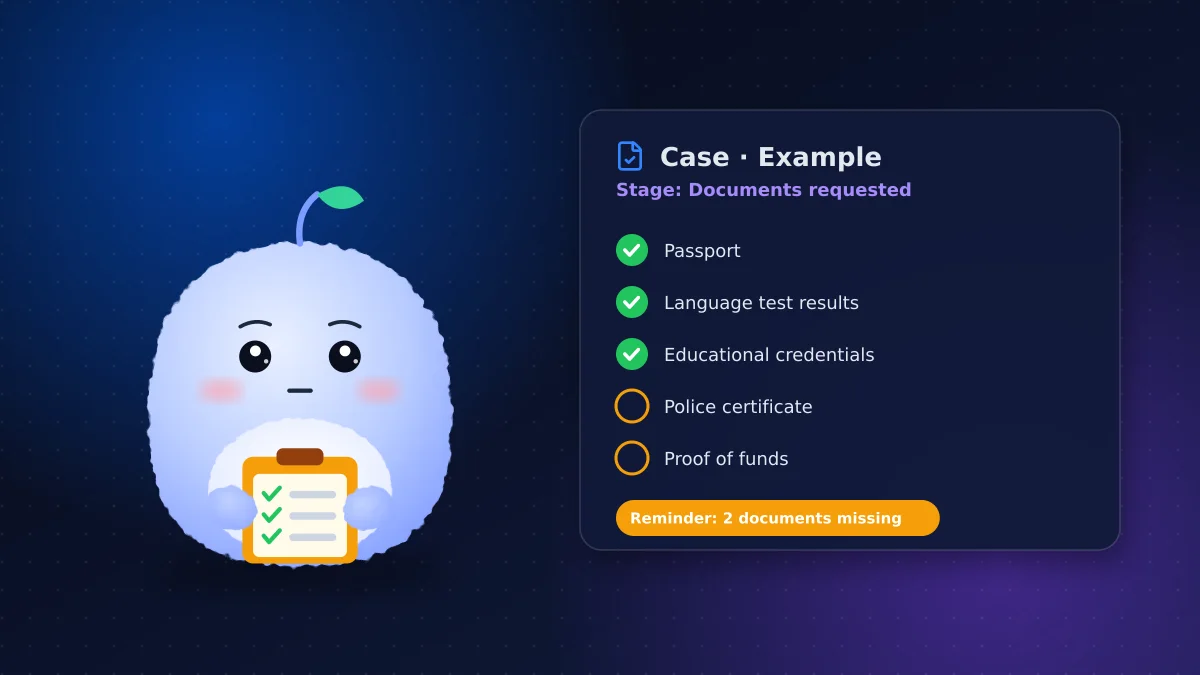
A document checklist on each case shows what's been received and what's missing. Use a subform or checklist fields for items like passports, educational credentials, language test results, police certificates and proof of funds, depending on the program. When something arrives, the team ticks it off; when items are overdue, the CRM flags them.
Deadlines and expiry dates
Track dates that matter: document expiry, test result validity, submission deadlines and requests for additional information. Automated reminders to your team, set well before each date, prevent last-minute scrambles.
Client portal
Zoho CRM can give clients a portal to see their status or upload documents, depending on your edition and setup. A client portal can cut "any update?" emails, but only share what you're comfortable showing, and test it carefully.
Professional rules and privacy
Regulated Canadian immigration consultants (RCICs) are overseen by the College of Immigration and Citizenship Consultants, which sets professional and record-keeping expectations. Check the College's requirements and make sure your CRM setup supports them.
Immigration files contain highly sensitive information. In your CRM setup:
- Limit access with roles and profiles so staff only see the files they work on
- Turn on multi-factor authentication for every user
- Collect only the information you need at each stage
- Decide where data is stored; Zoho has Canadian data centres
- Keep marketing emails consent-based; our guide to Zoho CRM CASL compliance explains how
Reports that help you run the practice
Once enquiries and cases are in one place, simple reports answer questions that used to take hours:
- How many enquiries came in this month, by source and program
- How many consultations turned into retainers
- Which cases are waiting on documents, and for how long
- Upcoming deadlines and expiry dates for the next 30 days
- Workload by case manager
A weekly dashboard with these numbers helps you spot bottlenecks early, plan staffing and see which marketing brings in clients who actually sign.
What to automate, and what to keep human
| Automate | Keep human |
|---|---|
| Enquiry confirmation and consultation reminders | Advice on eligibility and programs |
| Missing-document reminders to your team | Reviewing documents and applications |
| Expiry and deadline alerts | Anything sent to a government portal |
| Follow-up tasks after consultations | Sensitive conversations with clients |
Multilingual and international clients
Many immigration clients write in more than one language and live in other time zones. Record each client's preferred language on the lead, prepare email templates in the languages you work in, and schedule reminders in the client's local time where possible. It's a small detail that makes clients feel looked after.
How to roll it out
- Start with enquiries and consultations for one month
- Add the Cases module and document checklist for new clients only
- Move active files in gradually, starting with the most time-sensitive
- Review after 60 days and adjust stages and reminders
Training your team
Intake staff, case managers and consultants use the CRM differently. Train each role on just the parts they need: intake on leads and consultations, case managers on stages and checklists, and consultants on the views that show their files. Short sessions with real examples work better than one long walkthrough.
Conclusion: one place for every file
Zoho CRM for immigration consultants pays off when it reflects how your practice really works: a sales pipeline for enquiries, a case pipeline for files, clear document checklists and reminders that keep deadlines from slipping, with strong privacy controls throughout.
Want Zoho CRM set up for your practice? See our Zoho CRM service or book a free discovery call.
Frequently asked questions
Is Zoho CRM good for immigration consultants?
It can be, when it's set up with a sales pipeline for enquiries and a separate case module with stages, document checklists and deadline reminders.
Can Zoho CRM track client documents?
Yes. A checklist on each case record can show which documents have arrived and which are missing, with reminders for overdue items.
Can clients upload documents through Zoho CRM?
Zoho CRM can offer a client portal depending on your edition and setup. Test it carefully and only share what you're comfortable showing clients.
How do I keep immigration client data secure in a CRM?
Limit access with roles, turn on multi-factor authentication, collect only what you need and choose where your data is stored.
Should immigration consultants use a separate case management tool?
Some do, but Zoho CRM can handle both enquiries and cases with a custom Cases module. Keeping both in one system makes reporting and handoffs simpler.
Vaibhav Malhotra
Founder, VMR Technologies
Vaibhav Malhotra is the founder of VMR Technologies, where he leads the team building custom websites, e-commerce platforms, and AI solutions for businesses across the Greater Toronto Area and beyond. He writes about practical software and AI strategy for non-technical decision-makers — focused on what actually drives results rather than hype.