B2B E-commerce Platform Canada Guide: Building a Wholesale Portal
Key takeaways
- A wholesale portal lets trade customers log in, see their own prices and reorder without calling or emailing.
- Customer-specific pricing, net payment terms and quick reordering are the features that matter most.
- Since April 2026, Shopify's Basic, Grow and Advanced plans include core B2B features; some, like unlimited catalogs, still need Plus.
- ERP integration keeps inventory, pricing and invoices in sync and is usually the biggest part of the project.
- Start with your top accounts and most-ordered products, then expand.
Many Canadian distributors, manufacturers and wholesalers still take orders by phone, email and spreadsheet. It works until it doesn't: orders get keyed in wrong, customers call to ask about stock and your team spends hours on work a website could do.
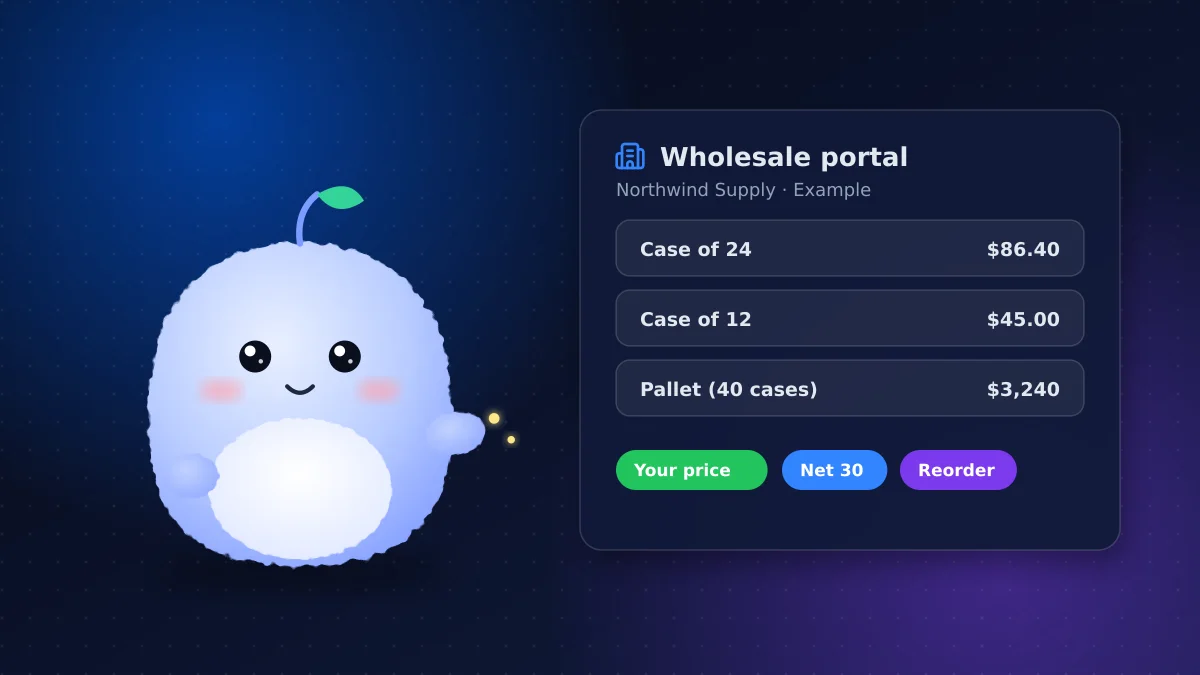
A wholesale portal gives trade customers their own login, their own prices and a fast way to reorder. This guide covers what to look for in a B2B e-commerce platform and when to go custom.
What a wholesale portal does
A good wholesale portal lets business customers:
- Log in and see their own catalog and prices
- Reorder past orders in a couple of clicks
- Order in case packs or minimum quantities
- Pay by card or on account with their agreed terms
- Download invoices and see order history
- Add several buyers from the same company, with approvals if needed
For your team, it means fewer manual orders, fewer errors and customers who can order at any hour.
Signs you've outgrown phone and email orders
- Your team re-keys orders from emails into your accounting or ERP system
- Customers call just to check stock or prices
- Order errors and returns from typos are common
- Reps spend more time taking orders than selling
- Customers in other time zones can only order during your office hours
If several of these sound familiar, a portal will likely pay for itself in saved staff time alone.
Must-have features
Customer-specific pricing
Wholesale customers rarely pay list price. Customer-specific pricing lets each account, or group of accounts, see its own negotiated prices, volume breaks and promotions. This is the feature most off-the-shelf stores can't do well.
Net payment terms
Trade customers expect to pay on account. Net payment terms, such as net 30, let them order now and pay by invoice later. The platform should track terms per customer and sync invoices to your accounting software.
Quantity rules
Minimums, maximums and case-pack increments prevent orders you can't fulfil.
Company accounts
One business often has several buyers and locations. The platform should support company accounts with multiple users, ship-to addresses and permissions.
Taxes
Canadian B2B sales still involve GST/HST and, in some provinces, PST, with exemptions for some buyers. Make sure the platform handles exemption certificates and the right tax per ship-to province.
Shopify B2B: what's included now
Shopify has offered B2B on its Plus plan for some time. According to Shopify's changelog, key B2B features became available on Basic, Grow and Advanced plans in April 2026. That includes company profiles, B2B catalogs and payment terms.
Some features remain Plus-only, including unlimited catalogs for customer-specific pricing and assigning catalogs directly to companies. Check the current plan comparison on Shopify before deciding, because these details change.
| Need | Shopify B2B (non-Plus) | Shopify Plus | Custom portal |
|---|---|---|---|
| Company accounts and payment terms | Yes | Yes | Yes |
| A few price lists | Yes | Yes | Yes |
| Unique pricing for many accounts | Limited | Yes | Yes |
| Complex pricing rules and approvals | Limited | Partly | Yes |
| Deep ERP integration | Via apps | Via apps | Built to fit |
Shopify B2B is a strong choice when you also sell direct to consumers and want one store. Our guide to Shopify Canada setup covers the Canadian tax and payment basics.
When a custom portal makes sense
Go custom when:
- Pricing rules are complex, such as contract pricing by product family plus rebates
- Orders need multi-step approvals inside the buyer's company
- Your ERP is the source of truth and needs two-way, real-time sync
- You need features specific to your industry, such as lot tracking or configurable products
ERP integration: the biggest piece
ERP integration is usually the largest part of a B2B project. It keeps these in sync:
- Inventory: stock levels by warehouse
- Pricing: customer price lists and contract prices
- Orders: web orders flowing into the ERP without retyping
- Invoices and credit: balances and credit limits visible to the buyer
Map exactly which system owns each piece of data before building anything. Most integration problems come from two systems both thinking they're in charge.
Questions to ask before you choose
Work through these with your team before comparing platforms:
- How many trade accounts do you have, and how many have unique prices?
- Do you also sell direct to consumers, and should that happen in the same store?
- Which system holds your prices, stock and customer credit today?
- How do customers pay now: card, cheque, EFT or on account?
- Do buyers need approvals from someone else in their company before ordering?
- How many products and variants will the portal carry?
- Who will keep prices and product data up to date after launch?
The answers usually point clearly to either a configured platform or a custom build. If most of your accounts share a few price lists and you sell direct too, a platform is usually enough. If every account is different and your ERP runs the business, custom is worth a look.
How to roll out a wholesale portal
- Start with your top 10 to 20 accounts and their most-ordered products
- Load their prices and terms, and test with a few friendly customers
- Train your sales team to send customers to the portal for reorders
- Expand to all accounts once orders flow cleanly into your back office
Conclusion: match the platform to how your customers buy
The right B2B e-commerce platform in Canada depends on how complex your pricing, terms and integrations are. Shopify's B2B features now cover many smaller wholesalers, while a custom portal fits businesses with complex pricing or a central ERP.
Explore our e-commerce development services, or tell us how your customers order today and we'll recommend the simplest setup that works.
Frequently asked questions
Does Shopify support B2B without Shopify Plus?
Yes. Since April 2026, Basic, Grow and Advanced plans include core B2B features such as company profiles, B2B catalogs and payment terms. Some features, like unlimited catalogs, remain Plus-only.
What is a wholesale portal?
A wholesale portal is a password-protected store where trade customers see their own prices, order in set quantities, pay on account and reorder quickly.
Do I need ERP integration for B2B e-commerce?
Not always. Small wholesalers can start with manual or app-based syncing. If your ERP holds pricing, stock and credit limits, integration avoids errors and double entry.
Can one Shopify store sell both retail and wholesale?
Yes. Shopify's B2B features let a single store show retail prices to consumers and company-specific catalogs, prices and payment terms to logged-in business buyers.
Vaibhav Malhotra
Founder, VMR Technologies
Vaibhav Malhotra is the founder of VMR Technologies, where he leads the team building custom websites, e-commerce platforms, and AI solutions for businesses across the Greater Toronto Area and beyond. He writes about practical software and AI strategy for non-technical decision-makers — focused on what actually drives results rather than hype.