AI Customer Service for Shopify Stores: Order Status, Returns and Handoff
Key takeaways
- Order status, return requests and product questions make up a large share of most stores' support messages, and they're the best place to start.
- Shopify Inbox is free and includes instant answers such as order tracking, plus AI-suggested replies that a person reviews before sending.
- A custom assistant can look up orders, check return eligibility and answer from your catalog, but it needs access rules.
- Always offer a human handoff with the conversation history attached.
- Measure resolution rate and customer satisfaction, not just how many chats the bot handled.
For most online stores, support inboxes fill up with the same handful of questions. Customers want to know where their order is, how to send something back and whether a product will work for them. These questions are perfect for AI, because the answers already exist in your store's data.
This guide covers what AI customer service for Shopify stores can handle, which tools to look at and how to set it up without frustrating customers.
What AI handles well in a Shopify store
Order status
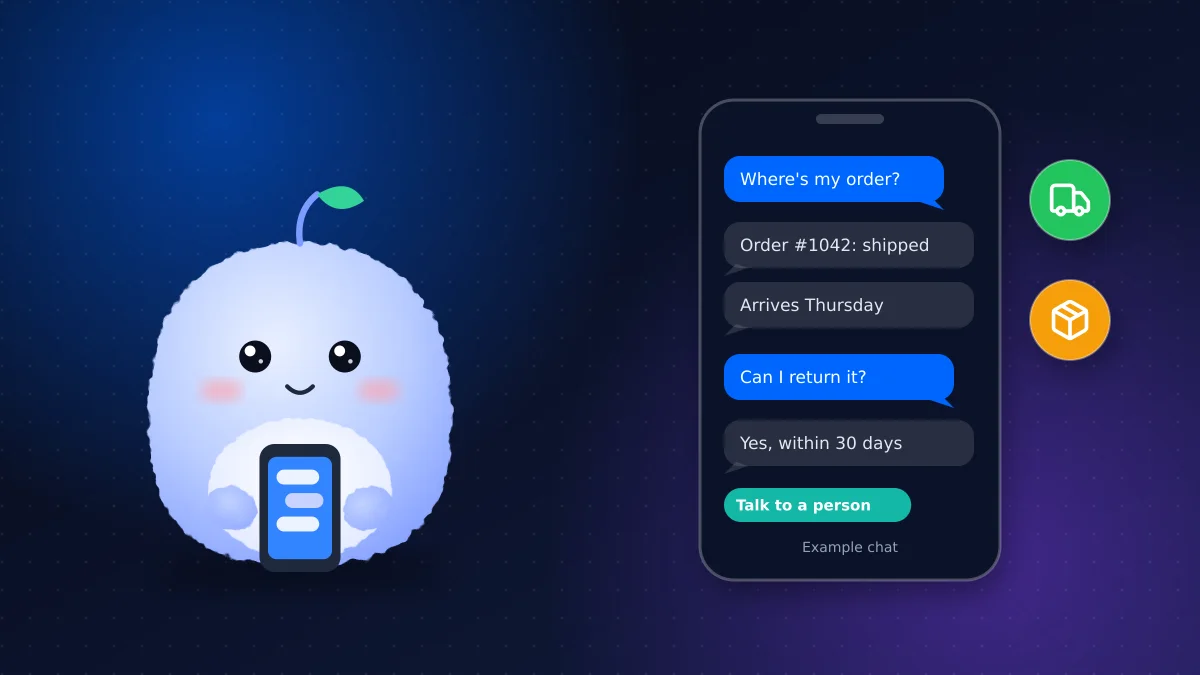
"Where is my order?" is the classic support question. An AI assistant can ask for an order number and email, look up the order and give the tracking status and carrier link. It can also explain common delays, such as a backordered item.
Return requests
The assistant can explain your return policy, check whether an order is still inside the return window and, with the right setup, start the return or send the customer to your returns portal. Anything outside the policy, like a late return or a damaged item, goes to a person.
Product questions
Sizing, materials, compatibility and stock questions can be answered from your product pages and a short FAQ. The better your product descriptions, the better these answers are.
Shipping and store policies
Delivery times, shipping costs to different provinces, duties for international orders and payment options are all straightforward answers from your policy pages.
Option 1: Shopify Inbox
Shopify Inbox is Shopify's free chat app. Out of the box it includes:
- Instant answers, including a "Track my order" option that shows the customer their order status
- AI-suggested replies that draft an answer from your store's information; a person reviews and sends each one
- Customer context, such as what's in their cart and past orders, while you chat
For a small store, Inbox is a sensible starting point. You can read how instant answers work in Shopify's help centre. Its limit is that suggested replies still need someone to send them, so it doesn't answer at 2 a.m. on its own.
Option 2: a custom AI assistant
A custom assistant connects to your store through Shopify's APIs and answers on its own, around the clock. It can:
- Look up order status after confirming the customer's email and order number
- Check return eligibility against your rules and start a return
- Recommend products based on your catalog and stock
- Answer in your brand's tone and hand off to your team in your existing helpdesk
It needs tighter design than Inbox. The assistant should only see the data it needs, confirm identity before showing order details and never promise refunds outside your policy. We build these as part of our chatbot services.
Preparing your store data
An assistant can only answer from what your store tells it. Before you switch anything on, make sure:
- Every product has clear sizing, materials and care details
- Shipping times are listed by region, including remote areas
- Your return policy says plainly what qualifies, the time limit and who pays return shipping
- Order confirmation and shipping emails include tracking links
Fixing these pages also helps customers who never open the chat.
Designing the human handoff
The fastest way to annoy customers is a bot that won't let them reach a person. Build human handoff in from day one:
- Offer it early. "Talk to a person" should always be an option, not something customers have to fight for.
- Hand off automatically for complaints, damaged items, payment problems and anything the bot isn't confident about.
- Pass the history. The person picking it up should see the whole conversation and the order details.
- Set expectations. Tell customers when someone will reply, especially outside business hours.
What to set up first
| Week | Focus |
|---|---|
| 1 | Clean up your shipping, returns and FAQ pages; the bot can only be as good as these |
| 2 | Turn on order status and policy answers |
| 3 | Add return eligibility checks and the handoff rules |
| 4 | Review real conversations, fix wrong answers and add missing questions |
Canadian stores should also make sure policies cover province-specific shipping times and taxes. Our Shopify Canada setup guide covers taxes, payments and shipping in detail.
Mistakes that frustrate customers
Avoid these when you launch:
- Hiding the human option behind several rounds of questions
- Showing order details without confirming identity, such as matching the email on the order
- Answering from outdated policies after you change shipping or return rules
- Making up answers. If the product page doesn't say whether an item is waterproof, the assistant should say it doesn't know and offer to ask the team
- Pushing discount codes to every customer who asks a support question
What it costs
Shopify Inbox is free. Third-party helpdesk and AI apps usually charge monthly, per seat or per resolved conversation. A custom assistant has a one-time setup fee plus monthly AI model and hosting costs, which makes more sense once you handle a steady volume of chats or want answers around the clock.
Measuring whether it's working
Track a few numbers each month:
- Resolution rate: chats fully answered without a person
- Handoff rate: and the reasons for handoff, so you can fix gaps
- Customer satisfaction: a quick thumbs up or down after each chat
- Response time for chats that reach your team
A bot that handles lots of chats but leaves customers unhappy isn't saving you anything.
Conclusion: start with the questions you answer every day
AI customer service for Shopify stores pays off fastest on order status, returns and product questions, with a clear path to a person for everything else. Start with Shopify Inbox if you're small, and move to a custom assistant when volume or after-hours demand makes it worth it.
Want an assistant that answers order and return questions from your own store data? Tell us about your store.
Frequently asked questions
Does Shopify have a free AI customer service tool?
Shopify Inbox is free and includes instant answers such as order tracking, plus AI-suggested replies. A person reviews and sends each suggested reply.
Can an AI assistant look up Shopify orders?
Yes. A custom assistant can look up order status through Shopify's APIs after confirming the customer's email and order number.
Should a Shopify chatbot handle refunds?
It can explain the policy and start returns that clearly qualify, but complaints, damaged items and exceptions should go to a person.
Will customers be annoyed by a support bot?
Not if it answers quickly, admits when it doesn't know and lets them reach a person easily. Frustration usually comes from bots that block access to a human.
Vaibhav Malhotra
Founder, VMR Technologies
Vaibhav Malhotra is the founder of VMR Technologies, where he leads the team building custom websites, e-commerce platforms, and AI solutions for businesses across the Greater Toronto Area and beyond. He writes about practical software and AI strategy for non-technical decision-makers — focused on what actually drives results rather than hype.