AI Automation for Manufacturers in Ontario: 7 Practical Uses for Plants and 3PLs
Key takeaways
- Start with high-volume, rules-heavy office work such as purchase orders, bills of lading and invoices.
- Quote automation and demand forecasting turn existing ERP data into faster, more consistent decisions.
- ERP integration decides success; begin read-only and add write access once results are proven.
- Run a narrow pilot of six to eight weeks with a clear baseline before scaling.
- Ontario's Digital Competence Centre grants and BDC LIFT loans can help fund planning and implementation.
Ontario's manufacturers and logistics firms, from the plants along the 401 to the warehouses around Pearson airport, face the same squeeze: tight labour markets, thin margins and customers who expect instant answers. AI won't run your line, but it can take a surprising amount of work off your office and planning teams.
Why mid-sized manufacturers are a good fit
Federal figures put formal AI adoption at just 8% of small and mid-sized Canadian businesses. That is a gap your competitors haven't closed yet. Manufacturers are well placed to close it because they already have the raw materials: structured ERP data, repetitive document flows and decisions that follow known rules. With trade uncertainty squeezing margins, productivity gains in the office are among the few levers fully within your control.
7 practical uses of AI in manufacturing and logistics
1. Document processing for POs, bills of lading and invoices
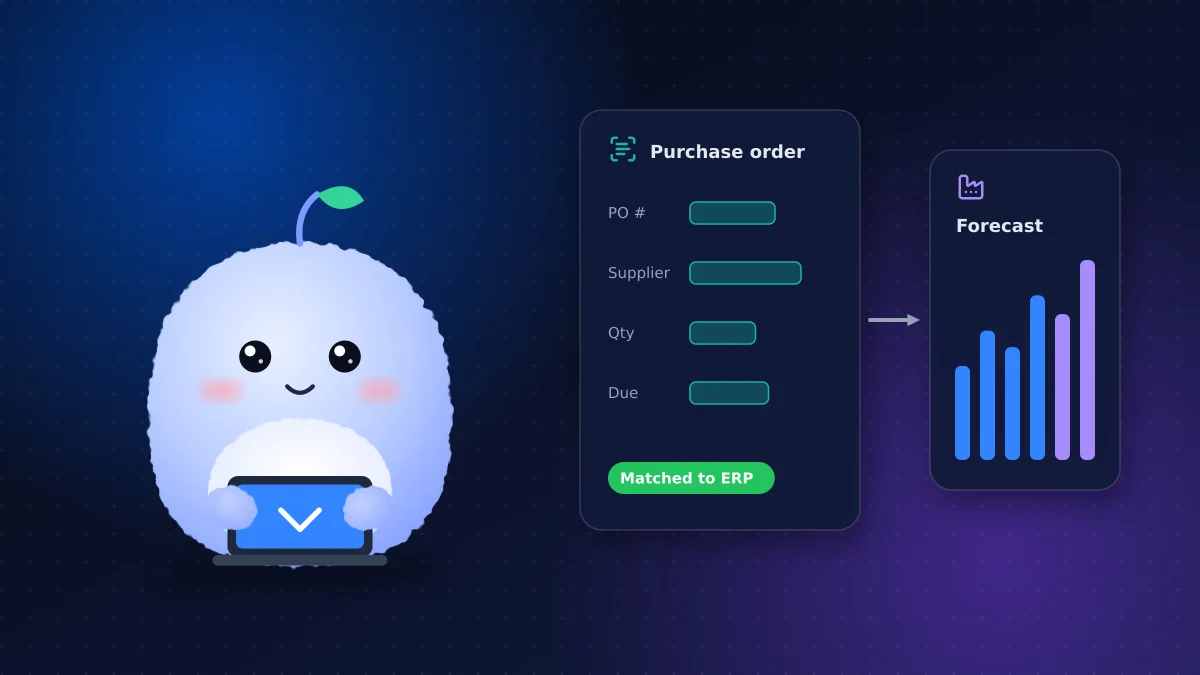
Staff still retype purchase orders, packing slips and supplier invoices from PDFs and emails. AI document processing reads these documents, extracts the fields, checks them against your ERP and flags mismatches for a person to review. It's often the fastest payback because the volume is high and the rules are clear.
2. Quote automation for custom and engineered orders
For job shops and custom fabricators, quoting is a bottleneck. Quote automation pulls specifications from RFQs, matches them against past jobs and costing rules, and drafts a quote for an estimator to approve. Turnaround drops from days to hours, and pricing becomes more consistent.
3. Demand forecasting
Machine learning models trained on your order history, seasonality and customer patterns can improve demand forecasting beyond spreadsheet averages, helping you set inventory and production plans with fewer stockouts and less excess. See our guide to demand forecasting with machine learning for when it's worth the investment.
4. Order-status assistants for customers
Customer service teams spend hours answering "where's my order?" An AI assistant connected to your ERP and shipping data can answer those questions instantly by email or portal, and escalate exceptions.
5. Warehouse operations and exceptions
For 3PLs and distribution centres, AI helps in warehouse operations by triaging carrier emails, flagging late inbound shipments, suggesting slotting changes from pick data and summarizing daily exceptions for supervisors.
Cross-border freight adds another layer. Operators near Pearson and along the 401 corridor handle commercial invoices, customs paperwork and appointment emails for US-bound loads, all of them good candidates for the same document-processing approach, with a person approving anything filed with customs.
6. Quality inspection with computer vision
Cameras and trained models can spot surface defects, missing components or labelling errors consistently across shifts. This needs more data and testing than office automation, so it's usually a second-phase project.
7. A knowledge assistant for SOPs and manuals
New hires and maintenance teams waste time hunting through binders and shared drives. An internal assistant that answers questions from your SOPs, equipment manuals and safety procedures, citing the source document, shortens onboarding and reduces errors.
ERP integration: the part that decides success
Most of these uses depend on ERP integration. Whether you run SAP Business One, Microsoft Dynamics, Epicor, NetSuite or an older on-premises system, the pattern is the same:
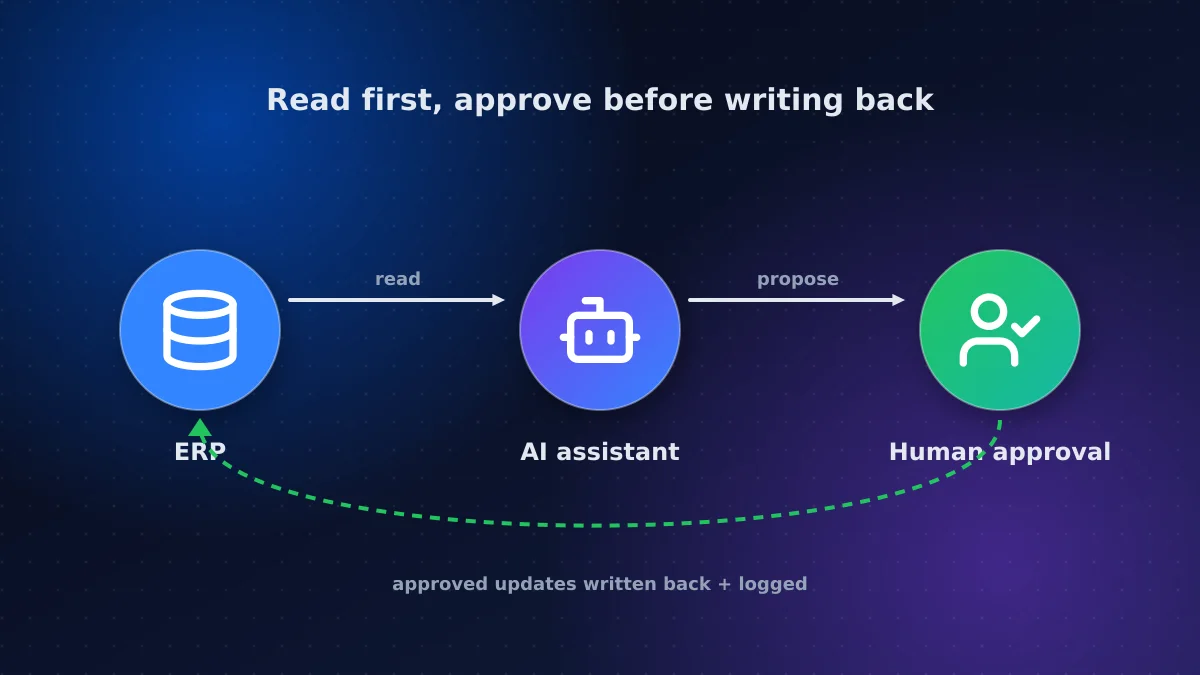
- Start read-only: let the AI read orders, inventory and customer data
- Keep a human in the loop: people approve anything that writes back
- Add write access once accuracy is proven on real volume
- Log everything so you can trace each decision
Older systems without modern APIs can still be connected through database views, scheduled exports or integration middleware.
Common pitfalls to avoid
- Automating a broken process. Clean up the workflow first, or AI will make the mess faster.
- Starting too big. A plant-wide "AI transformation" stalls; one document type ships.
- Skipping the baseline. Without before-and-after numbers, you can't prove value or secure budget for phase two.
- Ignoring the people doing the work. The clerks and planners know the exceptions the model will hit.
- No owner after launch. Models and prompts need someone to review accuracy as products and suppliers change.
What about data security?
Your drawings, pricing and customer lists are commercially sensitive. Choose AI providers that don't train on your data, keep processing in Canadian regions where possible, restrict access by role and keep audit logs. For defence or aerospace supply-chain work, check contractual data-handling requirements before any data leaves your network.
Funding the first project
Ontario businesses can use the Ontario Centre of Innovation's Digital Competence Centre to fund a matched digital adoption plan, which can unlock implementation funding. Larger, profitable firms can look at BDC's LIFT loans for AI adoption, and projects with genuine technical uncertainty may qualify for IRAP or SR&ED.
How to start: a six-to-eight-week pilot
- Pick one process with high volume and a clear owner
- Measure the baseline: time per document, quote turnaround or forecast error
- Build narrow: one document type, one product line or one customer group
- Review weekly with the people who do the work today
- Decide with data whether to scale, adjust or stop
Conclusion: automate the office around the plant
AI automation for manufacturers in Ontario works best when it targets the repetitive, data-heavy work around production: documents, quotes, forecasts and customer updates. Start with one well-measured pilot, connect it carefully to your ERP, and use available funding to reduce the risk.
We build AI agents and automation for manufacturers and logistics firms across the GTA and Ontario. Describe the process you'd like to automate and we'll propose a pilot with clear success measures.
Frequently asked questions
Do we need a lot of data to use AI in manufacturing?
Not for most office uses. Document processing, quoting assistants and knowledge assistants work with the documents and ERP data you already have. Demand forecasting and computer vision need more historical or labelled data.
Will AI replace our office or warehouse staff?
In practice it removes repetitive work such as retyping documents and answering status questions, freeing people for exceptions, customers and improvement work. Most manufacturers use it to handle growth without hiring in a tight labour market.
Can AI connect to an older ERP system?
Usually, yes. Systems without modern APIs can be connected through database views, scheduled exports or integration middleware. Starting with read-only access keeps the risk low.
Is there funding for AI projects in Ontario manufacturing?
Yes. Ontario's Digital Competence Centre offers matched grants for digital adoption planning that can lead to implementation funding, BDC LIFT provides loans for AI adoption, and projects with genuine technical uncertainty may qualify for IRAP or SR&ED.
Vaibhav Malhotra
Founder, VMR Technologies
Vaibhav Malhotra is the founder of VMR Technologies, where he leads the team building custom websites, e-commerce platforms, and AI solutions for businesses across the Greater Toronto Area and beyond. He writes about practical software and AI strategy for non-technical decision-makers — focused on what actually drives results rather than hype.